

The desk
A walk through using the platform, step by step: the screen, the ticket and the chart, then the portfolio that collects every result.
A layout that holds on any screen.
From a wide monitor to a laptop, the terminal keeps its arrangement. Panels fold away instead of shifting, so the ticket stays put.
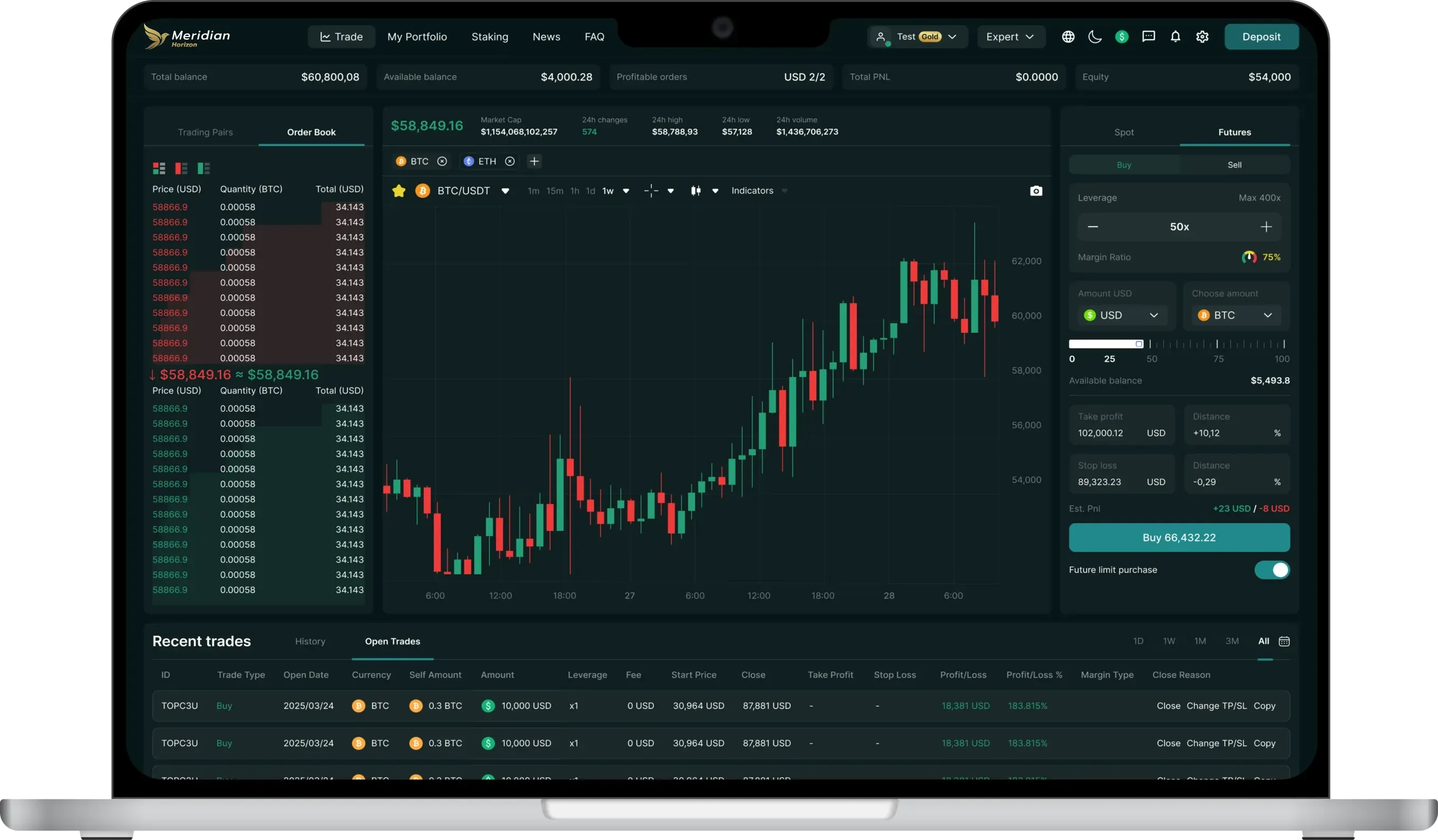
What the terminal can do.
All of this ships in the product now. No item here is a promise.
-
Spot and futures
Trade either way on the same pairs and from one balance, with no switching between products.
-
x200 leverage
Set trade by trade, with the margin ratio reacting live as you adjust it.
-
Cross margin
All open positions draw on one margin pool, read at a glance on its gauge.
-
Stops two ways
A fixed price or a percentage from your entry, for both stop loss and take profit.
-
Future limit orders
It sits at the level you set and executes once the market gets there.
-
Charts and indicators
Indicators, a full screen mode, and candle intervals running from one minute to twelve hours and more.
Read the day.
Switch assets and time frames on the same chart engine the terminal runs, drawn from the same data.
Market data can't be loaded at the moment. It will retry by itself.
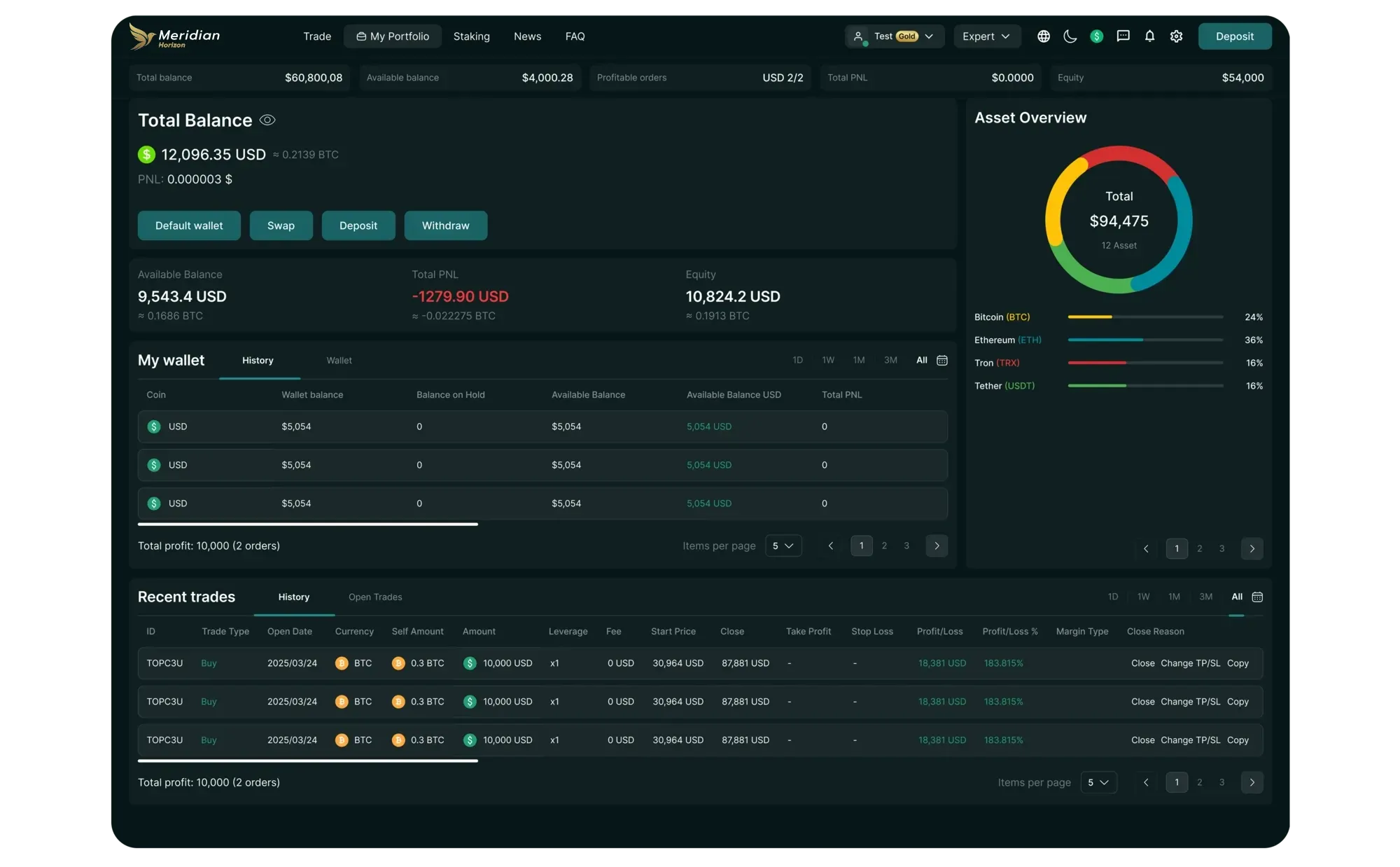
Where positions end up.
Deposit, withdraw and swap from the same screen that shows your total and available balance, equity, total profit and loss, and an allocation ring of what the account holds.
- Profit and loss for each closed trade
- History and open orders, listed together
- Convert between assets in place
Create the account, then explore.
Signing up takes minutes and binds you to nothing. Whether to fund it is a later, separate choice.